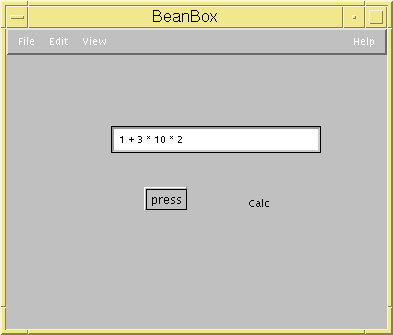
BeanBuilder Example
In this example I will create a simple calculator with Demeter/Java,
my BeanBuilder, and Suns BDK. This examples assumes you are using a UNIX
system.
The calculator accepts simple expressions and supports only addition and
multiplication. It is implemented is the following Demeter/Java files:
In addition a beanspec file is created that instructs the BeanBuilder
on how to package the bean. That file is Calc.beanspec
.
Building the JavaBean
To build the calculator bean perform the following steps:
- demjava -aspect -code -grammar Calc.cd Calc.beh
- cd gen
- java BeanBuilder.Main ../Calc.beanspec
- java EDU.neu.ccs.demeter.tools.weaver.WMain Calc.asp CalcBean.asp
- cp javafiles/* .
- javacc grammar.jj
- javac -d . *.java
- jar -cvfm Calc.jar Calc.manifest calc
Creating an Application with Suns BeanBox
- Copy the Calc.jar file into the jars directory so the BeanBox can
find it.
- Start the BeanBox. See Suns documentation for details. Note: Make sure the Demeter/Java classes are included in
the class path. I modified run.sh so the demjava.jar was in the CLASSPATH.
- When the BeanBox starts you will notice that the Calc bean now appears in the tool box.
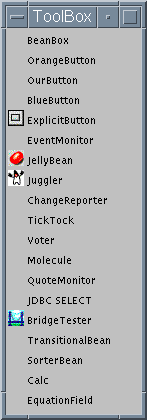 Note: An EquationField bean has been added for this demo too. Download it by
saving EquationField.jar
or compile EquationField.java.
Note: An EquationField bean has been added for this demo too. Download it by
saving EquationField.jar
or compile EquationField.java.
- Add the EquationField, ExplicitButton, and the Calc beans to the BeanBox.
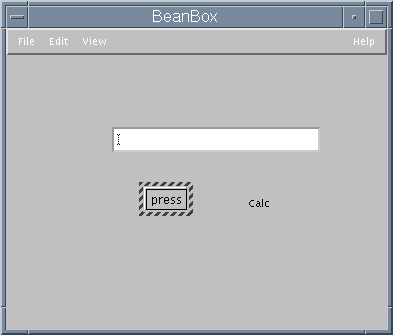
- Link the EquationField with the Calc beans together via the
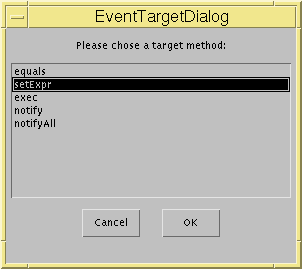
TextEvent event and the Calc.setExpr() method.
- Select the EquationField bean.
- Select the Edit/Events/text/textValueChanged menu item.
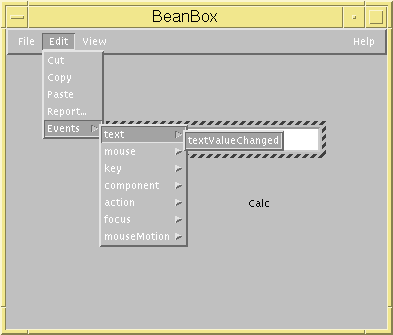
- Select the Calc bean.
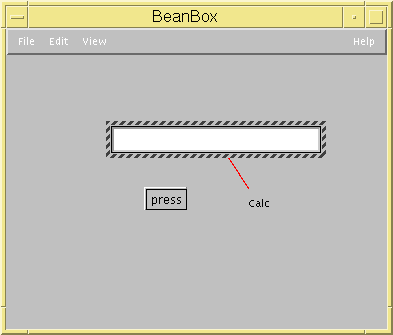
- Then select the setExpr target method in the EventTargetDialog.
- Link the ExplicitButton and the Calc beans together via the
ActionEvent event and the Calc.exec() method.
- Select the ExplicitButton bean.
- Select the Edit/Events/button push/actionPerformed menu item.
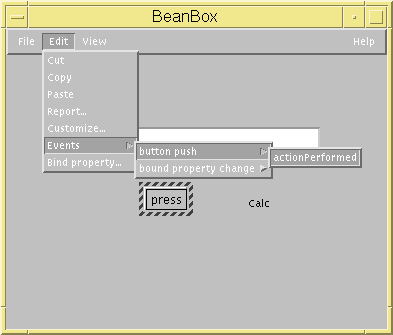
- Select the Calc bean.
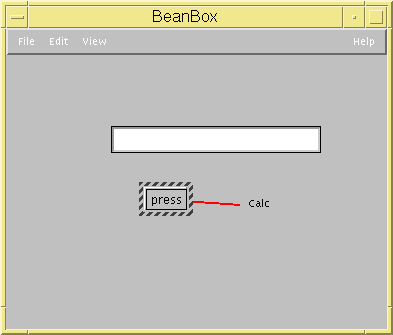
- Then select the exec target method from the EventTargetDialog.
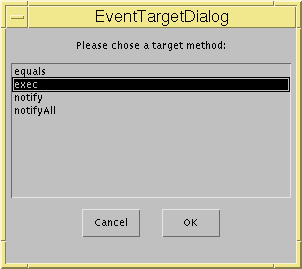
- At this point the application is built.
Select the View/Disable Design Mode menu item. Enter an expression
in the EquationField, then press the button. The result will be
calculated by the Calc bean an printed on stdout.